

What is Upmeet?
Upmeet is an intelligent assistant that turns your meetings and conversations into clear, structured, actionable information.
Whether you are meeting in person, on a video call, over the phone, or importing an audio or video file, Upmeet helps you keep a reliable record of what was discussed — without taking notes manually.
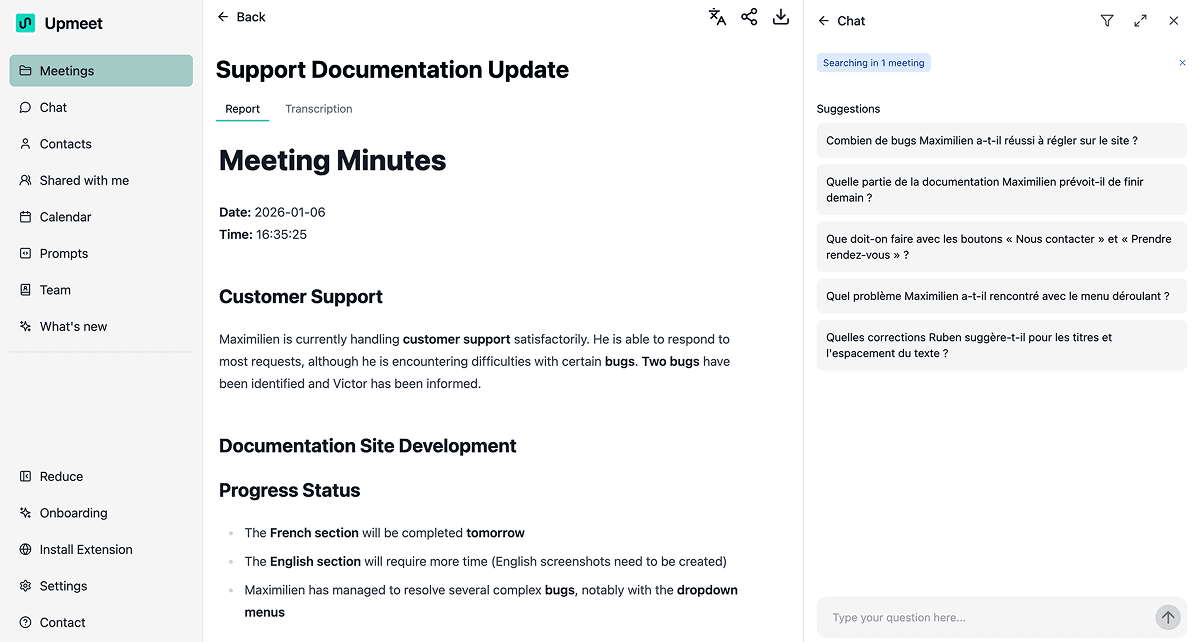
🎯 What can you use Upmeet for?
Upmeet supports you before, during, and after your meetings:
- Record your conversations, live or from an existing file;
- Generate a complete transcript of the conversation;
- Create a structured report with key points, decisions, and follow-up actions;
- Ask questions about your meetings with AI Chat, so you can quickly find information or explore a topic further;
- Share and export your results with colleagues or clients;
- Organize your meetings with tags, contacts, teams, and calendars;
- Adapt the output to your needs with customizable prompts.
🚀 From conversations to action
Upmeet is not just a transcription tool. It helps you move from conversation to action faster: find information, understand the key points, share a report, or prepare the next step.
Your generated content stays centralized in your Meetings space, where you can review, edit, enrich, and share it.
🧩 A few examples
Upmeet can be useful for:
- team meetings and status updates;
- customer or partner conversations;
- brainstorming sessions and workshops;
- support or user-research interviews;
- classes, conferences, and audio or video content you want to analyze.
✅ Get started
You can create a meeting in several ways: record with your microphone, import an audio or video file, provide a video-conference link, or analyze a YouTube video.