

Team
🧭 Purpose of this page
This page shows you how to find and invite your team members.
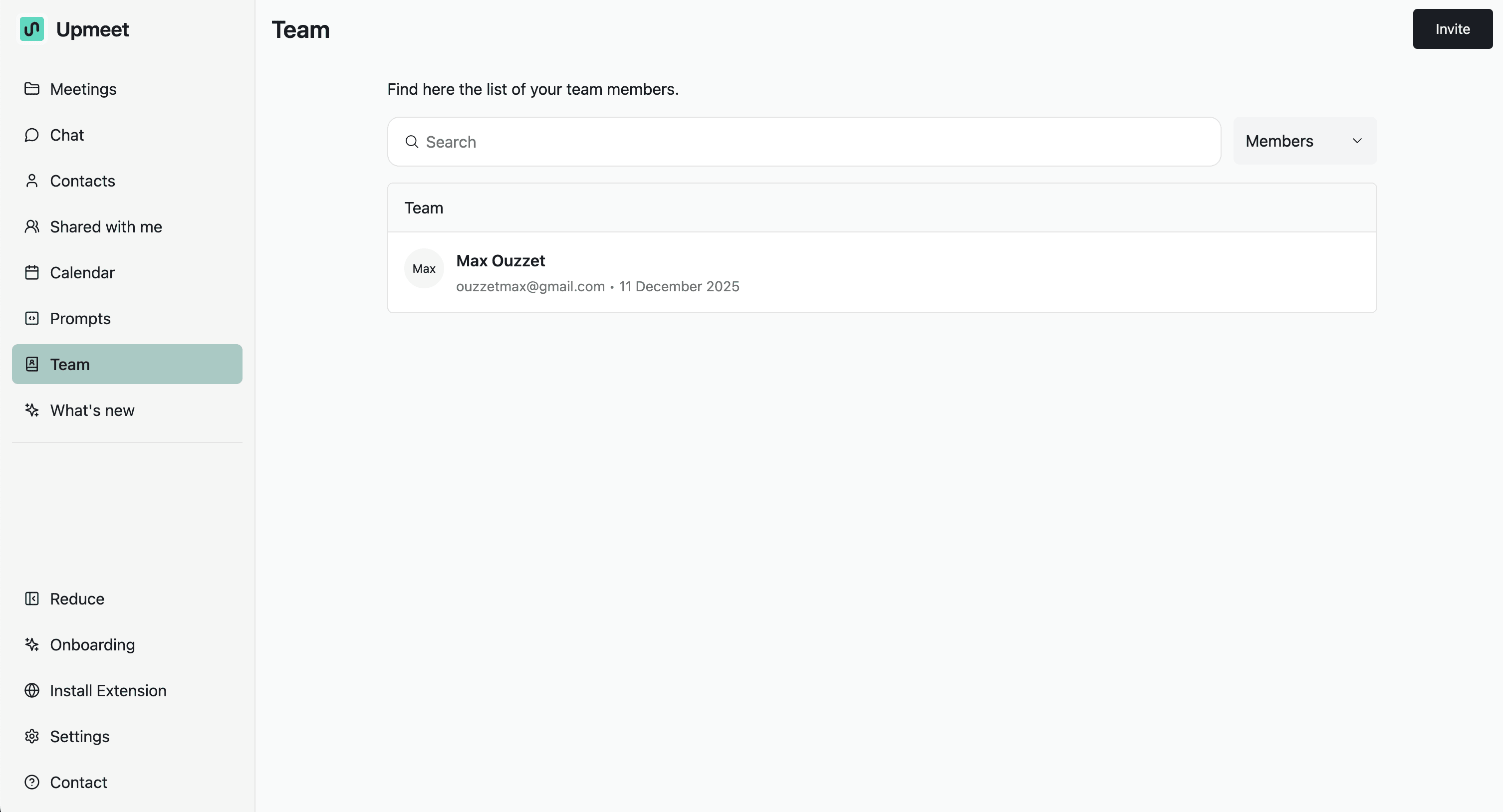
🗂️ 1. Find your team members
In the Team tab, you can find all the members of your team.
You can:
-
search,
-
select between members or guests,
-
see the entire list of your team by clicking on Guest at the top right.
✉️ 2. Invite a member
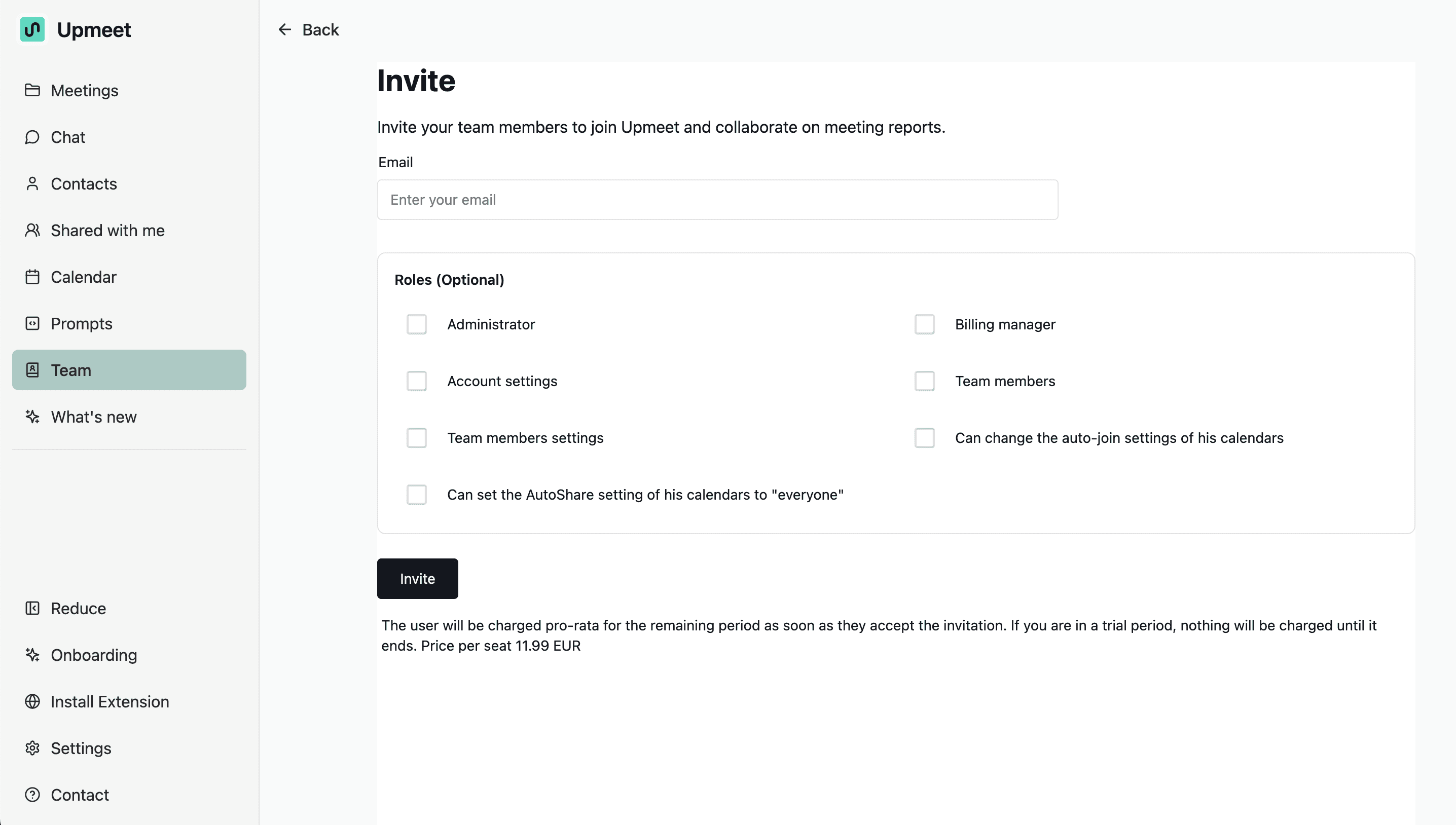
You can invite a member.
This allows you to invite your team members to join Admit and collaborate on meeting reports.
You just need to enter their email.
🧩 3. Choose a role (optional))
Then, you can choose from the optional roles.
You can choose if they are:
-
administrator,
-
billing manager,
-
account settings management,
-
team member management,
-
team member settings management,
-
can modify auto-training settings,
-
of these calendars.
You can set the parameters and check one of these calendars for everyone.
🧾 4. Billing
By clicking on Invite, the user will be charged for the remaining period as soon as they accept the invitation.
If you are in a trial period, nothing will be charged until the end of it.
The price will be indicated based on your subscription.
You will take the same subscription.
This allows you to directly invite collaborators and enable them to enjoy all the features.