Official Upmeet documentation

🎯 Our mission

Upmeet is designed to help you save time, collaborate more effectively, and unlock the full potential of your meetings.

Whether in person, via video, audio, or through imports, Upmeet automatically transforms your exchanges into clear, actionable, and shareable information.

If you haven't done so yet, start by signing up to create an account.

Then download the iOS or Android app, or continue on the web app.

🤖 What is Upmeet?


Upmeet is an intelligent assistant that:

  • Records your meetings.

  • Generates accurate transcriptions.

  • Produces structured reports.

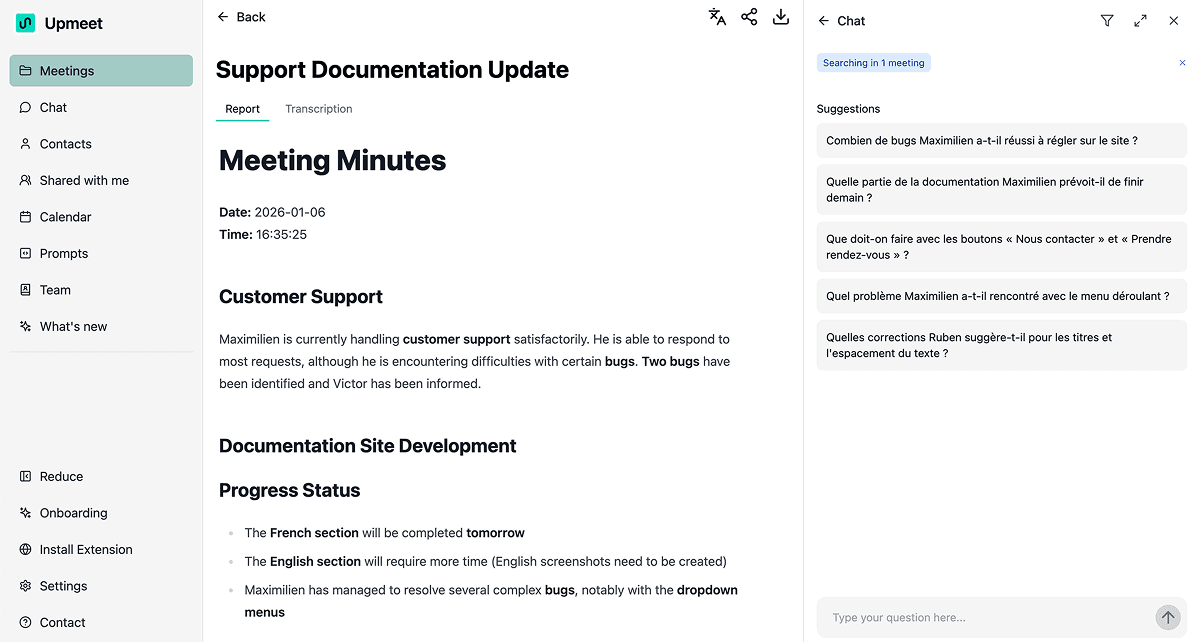
  • Use Chat to ask questions about your meeting notes.

  • Facilitates collaboration through sharing, export, tags, contacts, and mailing lists.

  • Integrates with your calendar (Google or Microsoft).

  • Uses customizable prompts to tailor the style of your reports.

The goal:

Automate everything except the meeting itself, so you can focus on decisions, action, and collaboration.

📚 Who is this documentation for?


This documentation is made for:

  • New users discovering Upmeet.

  • Teams looking to standardize their reports.

  • Managers who need to track multiple meetings.

  • Advanced users looking to customize their workflows.

Each page is designed to be clear, guided, jargon-free, and accessible even if you have never used an AI tool.

🧭 How to navigate this documentation?

This documentation is organized into several pages:
Popular articles

🚀 What you can do with Upmeet

Thanks to Upmeet, you can:

🎤 Record a live meeting

Microphone, video, mobile, audio, or video.

📁 Import recordings

MP3, MP4, YouTube, etc.

✍️ Get a complete summary

Summaries, decisions, actions, participants...
Customizable with prompts.

📄 Access smart transcriptions

With timestamps, search, audio playback.

🤖 Query your meetings

Thanks to Chat: summarize, compare, filter, analyze.

🤝 Collaborate more easily

Share via email, mailing lists, PDF/Word export.

🗂️ Organize your information

Tags, filters, sorting, advanced search.

📆 Automate your workflows

Calendar synchronization, auto-join, auto-share.

📌 Platform Philosophy

Upmeet is based on three essential principles:

1️⃣ Automate what can be automated.

You should never waste time taking notes or replaying a meeting.

2️⃣ Make information accessible.

Even after several meetings, you should be able to find the essentials in seconds.

3️⃣ Keep it simple.

A tool should be powerful, without ever being complex.

This documentation guides you step by step to ensure immediate usability.


📞 Need help?

This documentation answers most questions, but if you need additional support:

We are here to help you make the most of your meetings.

🎉 Enjoy exploring!

We hope this documentation will allow you to harness the full power of Upmeet and transform the way you work as a team.


Thanks to Upmeet, you can:

🎤 Record a live meeting

Microphone, video, mobile, audio or video.

📁 Import recordings

MP3, MP4, YouTube, etc.

✍️ Get a full report

Summaries, decisions, actions, participants...
Customizable with prompts.

📄 Access smart transcriptions

With timestamps, search, audio playback.

🤖 Query your meetings

With AI Chat: summarize, compare, filter, analyze.

🤝 Collaborate more easily

Share via email, mailing lists, export PDF/Word.

🗂️ Organize your information

Tags, filters, sorting, advanced search.

📆 Automate your workflows

Calendar sync, auto-join, auto-share.

📌 Platform Philosophy

Upmeet is based on three essential principles:

1️⃣ Automate what can be automated.

You should never waste time taking notes or replaying a meeting.

2️⃣ Make information accessible.

Even after several meetings, you should be able to find the essentials in seconds.

3️⃣ Respect simplicity.

A tool should be powerful, without ever being complex.

This documentation guides you step by step so you can get started right away.


📞 Need help?

This documentation answers most questions, but if you need additional support:

We are here to help you make the most of your meetings.

🎉 Enjoy exploring!

We hope this documentation will allow you to leverage the full power of Upmeet and transform the way you work as a team.


Get Template for free

Get Template for free

Get Template for free